The Power of Blueprint Icons in Your Creative Projects
You’re designing a new website for your client, or maybe putting together a presentation for your team. You need an icon that represents “secure payment” or “data analytics.” You browse through free icon sets online, but they all look slightly mismatched, or the style feels dated. You find one good icon, but it’s only available in a tiny PNG, and you can’t change the color. This is the exact moment where a cohesive, professional icon set becomes not just a nice-to-have, but a necessity. This is where Blueprint Icons changes the game.
What Exactly Are Blueprint Icons?
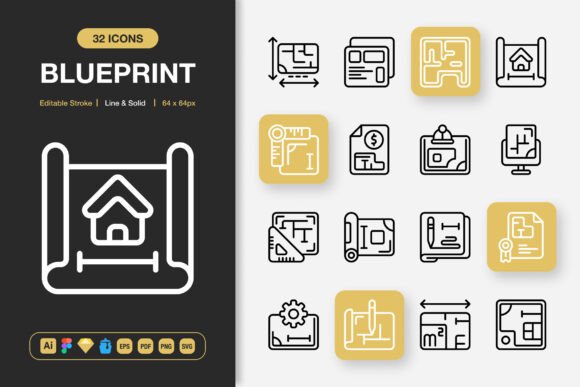
Think of Blueprint Icons as your universal design toolkit. It’s a meticulously crafted collection of 100 high-quality icons designed in a clean, minimalist style. They aren’t overly flashy or trendy in a way that will look outdated next year. Instead, they offer clarity and versatility. The set provides both a “Line” style, with elegant outlined forms perfect for subtle interfaces, and a “Solid” style, with filled shapes that command more attention. The magic lies in their adaptability. Every icon is built to be customized. The stroke width is editable, meaning you can make lines thicker or thinner to match your brand’s boldness or delicacy. You’re not stuck with a static image; you have a true design asset.
When a Simple Icon Makes All the Difference
Consider the freelance graphic designer creating a flyer for a local yoga studio. She needs icons for “calm,” “schedule,” and “location.” Using Blueprint Icons, she can pull the exact symbols, adjust their colors to a soothing palette of greens and blues, and integrate them seamlessly into her layout. Because she has the source files, she can tweak them directly in Adobe Illustrator without losing quality. The final flyer feels polished and unified, a direct reflection of her professional skill.
Or picture the entrepreneur launching a small e-commerce app. His developer needs icons for the user interface—a shopping cart, a user profile, a settings gear. Using the provided Figma or Sketch files, the developer can drag and drop the SVG icons directly into the prototype, ensuring pixel-perfect rendering at any size. The app feels modern and intuitive, not because of complex animations, but because of consistent, clear visual cues.
The Real-World Applications: Beyond Just Websites
The true value of Blueprint Icons is in its sheer breadth of utility. While “perfect for websites and apps” is true, that description barely scratches the surface.
For the educator creating digital lesson plans or infographics, these icons can visually break down complex topics. A solid icon of a brain for “critical thinking,” a line icon of a chain for “connections”—these become teaching aids. For the blogger enhancing their posts, using a consistent set of icons for bullet points or section headers makes their content more scannable and engaging.
For marketing professionals, the applications multiply. Social media posts often need quick, recognizable graphics. A PNG at 512px is perfect for a Facebook cover image element. A 256px transparent PNG can be overlaid on a promotional video thumbnail. Print isn’t dead, either. The EPS and PDF files ensure that when those icons are used in brochures, banners, or conference posters, they print crisply at any scale, from a small flyer to a large booth backdrop.
Even for hobbyists or personal projects—designing a family cookbook, making a custom wedding website, creating a community newsletter—having a set of icons that look like they belong together elevates the work from amateur to accomplished.
How Different Users Benefit in Different Ways
A small business owner with no design team might rely on simple tools. The drag-and-drop nature of the IconJar file or the ready-to-use PNGs at common sizes (32px to 512px) means they can place icons directly into their Canva projects or WordPress site without needing specialist software. They get a professional look without a professional budget.
A seasoned UI/UX designer, on the other hand, will dive into the source files. The editable stroke in the Illustrator or Figma file allows them to perfectly align the icon style with their company’s design system. They can export exactly the format they need for their specific development pipeline, be it SVG for web or high-resolution PNG for mobile assets. It saves hours of hunting for icons or trying to modify incompatible ones.
The publisher working on an eBook can use the clean line icons as decorative elements within chapters, ensuring they don’t look pixelated on any e-reader device. The key is that the same set serves both the novice and the expert, just in different ways.
What You Should Consider Before Using Blueprint Icons
Before integrating any icon set into your workflow, it’s wise to think about your actual needs. Blueprint Icons shines when you require consistency across multiple mediums. If you’re doing a one-off project with just two icons, a free online download might suffice. But if you’re building a brand, a course, an app, or any suite of materials that needs a coherent visual language, then investing in a unified set pays dividends.
Check the formats. Blueprint Icons includes Adobe Illustrator, Figma, Sketch, EPS, SVG, PDF, and PNGs. If you primarily work in one of these environments, you’re covered. If you use a less common tool, ensure it can import one of these standard formats (most can). Also, consider the style. Minimalist design is timeless, but if your project demands highly detailed, ornate illustrations, this set’s clean aesthetic might not be the fit. It’s designed for clarity and modern simplicity.
Finally, think about scalability. Starting with a project that might grow—like a website that will add features, or a brand that will expand into print—means your assets should grow with it. Having source files means you’re never locked into a fixed size or color. You can adapt as your project evolves.
Connecting Features to Tangible Outcomes
The list of features isn’t just a checklist; each one translates to a real outcome. “100 Customizable Icons” means you likely won’t need to supplement with another set, maintaining style purity. “Editable Stroke” means you can make the icons feel heavier or lighter to match the tone of your project—a bold stroke for a energetic tech blog, a thin stroke for a elegant jewelry site. “Easy Drag and Drop” means less friction and faster creation. “Multiple File Formats” means no conversion headaches or quality loss when switching from digital design to print production.
The inclusion of a Readme file might seem minor, but for someone new to handling multiple design files, it can provide the guidance to get started correctly, avoiding the frustration of not knowing which file to open first.
In essence, Blueprint Icons is designed to remove the typical obstacles in icon usage: inconsistency, inflexibility, and incompatibility. By solving these, it lets you focus on what matters—communicating your message clearly and beautifully, whether that message is on a screen, in a book, or on a poster hanging on a wall. It turns a mundane design task into a seamless part of your creative process.