Abstract Icons: The Versatile Toolkit for Modern Design Projects
You’ve probably spent hours searching for the right icon. You need something clean, modern, and adaptable enough to fit your website’s header, a promotional flyer, and your app’s navigation bar. Most sets feel either too specific, cluttered, or lack the technical flexibility for professional use. This is where a collection like Abstract Icons changes the game. It isn’t just another bundle of graphics; it’s a foundational design resource built for efficiency and consistency across every visual medium you touch.
What Are Abstract Icons and Why Do They Matter?
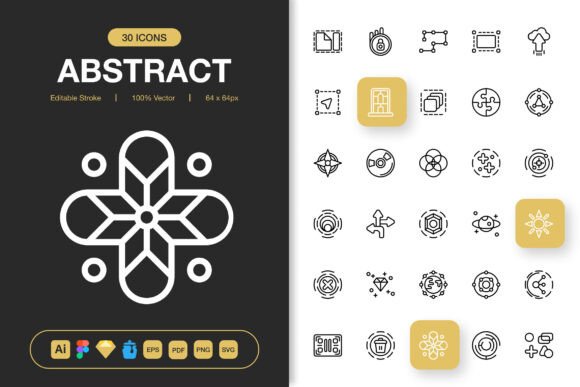
Think of Abstract Icons as your universal visual shorthand. They are a set of high-quality, minimalist symbols designed to communicate concepts quickly and elegantly, without unnecessary detail. The “abstract” nature means they focus on form and essence, making them suitable for any project where clarity and a contemporary aesthetic are priorities. When your brand or project needs a cohesive look across multiple touchpoints—from a tiny mobile app button to a large conference poster—this consistency is crucial. Using a scattered mix of icons from different sources can make your work feel disjointed. A dedicated, versatile set like this provides a single source of truth for your visual language.
The Real-World Applications: Where These Icons Come to Life
Let’s move beyond “websites and apps” and look at specific moments where having this toolkit saves time and elevates work.
A freelance blogger is overhauling their site. They need icons for their new “Categories” section, social media links in the footer, and a downloadable resource guide. Using Abstract Icons, they can pull a single set of cohesive symbols for all three needs, ensuring the blog feels professionally assembled, not pieced together. The editable stroke feature means they can match the icon line weight exactly to their custom fonts, creating a seamless integration.
An entrepreneur launching a small business is creating materials themselves: a logo-derived flyer for a local event, social media posts announcing the launch, and simple infographics to explain their service on the website. The multiple file formats included—like SVG for the web and EPS for the local print shop—mean they can use the same icon assets everywhere without worrying about resolution loss or format compatibility. The PNG files at sizes like 256px are perfect for high-impact social media graphics, while the 32px versions work perfectly within their website’s navigation.
A university educator preparing an online course needs to create clear, visual slide decks and printable PDF supplements. Abstract Icons’ minimalist design prevents clutter on dense information slides, and the high-quality vector files (like the included PDF and Illustrator source files) allow them to be scaled up perfectly for posters displayed in campus common areas. The educator benefits from a professional look without needing graphic design expertise.
How Different Users Benefit in Different Situations
The value of Abstract Icons shifts depending on who you are and what you’re trying to accomplish.
For the Marketer or Content Creator: Speed and brand consistency are key. When you’re producing a campaign that spans an email banner, a Facebook post, and a printed brochure, dragging and dropping the same icon set from the provided Figma or Sketch files into each design mockup ensures visual coherence. This repetition strengthens brand recognition. The ease of customization means you can tweak colors to match campaign themes without starting from scratch.
For the App Developer or UI Designer: Technical flexibility is paramount. The SVG and Iconjar formats are gold here. SVG files allow for clean, scalable integration into code, while Iconjar files make organizing and accessing icons within design software a quick, visual process. This reduces friction in the iterative design phase, where icons might be swapped and tested repeatedly.
For the Hobbyist or Small Business Owner: Simplicity and completeness matter most. The inclusion of a Readme.txt file and the range of pre-made PNGs means you don’t need to master complex software to get started. You can immediately use the PNGs in tools like Canva or Word to improve a flyer or a menu. Having the source files also offers a path to grow; if you later decide to hire a designer for a more complex project, you can provide them with the original Illustrator files for seamless adaptation.
What to Consider Before Using Abstract Icons
While a versatile set is powerful, it’s wise to align it with your specific needs. First, consider your primary medium. If your work is overwhelmingly digital, the SVG and Figma files will be your core assets. If you focus on print, the EPS and high-resolution PNGs will be critical. Second, think about your need for customization. The “Editable Stroke” feature is powerful, but it requires access to and basic knowledge of vector software like Adobe Illustrator. If you never plan to edit the icons structurally, the pre-set PNGs and SVG files might suffice.
Also, evaluate the icon style against your existing brand identity. Minimalist abstract icons lean towards modern, clean aesthetics. They might not suit a brand that requires highly detailed, ornate, or vintage-styled graphics. Finally, assess the scope of your project. For a one-time flyer, a free online icon set might be enough. But for an ongoing venture where you’ll be producing varied materials for years, investing in a comprehensive, multi-format set like Abstract Icons prevents future asset hunting and inconsistency.
Connecting Features to Tangible Outcomes
The features listed aren’t just technical specs; they directly solve common, frustrating problems.
100 Customizable Icons: This isn’t merely a number. It means you likely have a symbol for every common action and concept (save, share, contact, location, etc.) without needing to supplement. This completeness allows you to build entire interface layouts or informational graphics without interrupting your flow to search for missing pieces.
Easy Drag and Drop & Multiple Software Files: This translates directly to reduced setup time. A designer jumping between Sketch for app mockups and Illustrator for print assets doesn’t need to convert or recreate icons. They have native files ready for each environment. The drag-and-drop ease in Figma or Iconjar speeds up the daily workflow, turning hours of asset management into minutes.
PNG Transparency at Multiple Sizes: This practical feature eliminates resizing headaches. You no longer have to take a 512px icon and manually shrink it down for a small button, risking blurry edges. Having pre-rendered files at 32px, 48px, 64px, etc., means you simply pick the right file for the right job, guaranteeing pixel-perfect sharpness on screens and in print.
Source Files Included (AI, Figma, etc.): This is about future-proofing and control. If your brand color palette changes next year, you can open the Illustrator source file, recolor the icons globally, and regenerate all your formats. This level of control protects your investment and ensures the icons can evolve with your project.
In essence, Abstract Ions is designed to be a working partner, not just a decorative add-on. It addresses the holistic process of modern creation, where a single project sprawls across digital and physical formats, and where time spent wrestling with incompatible or low-quality assets is time taken away from the core creative work. By providing a unified, high-quality, and technically adaptable resource, it allows creators, professionals, and businesses to focus on their message and content, with the visual foundation securely and elegantly in place.